

What does Two check marks on text messages? Usually, two check marks show that your message was delivered, but the exact meaning can depend on the messaging app and connection type. If you’re wondering what does two check marks mean on a text message on Android, the answer can vary between standard texting and RCS messaging.
You may also search for what does two check marks mean on a text, especially when you see two checkmarks on Google Messages. These symbols can tell you whether a message was sent, delivered, or read.
In this guide, you’ll learn what the check marks mean in Google Messages, what two check marks mean on Android text, and how delivery and read receipts work. You’ll also see how these indicators differ when messaging between Android and iPhone.
What Do Two Check Marks Mean on a Text Message?
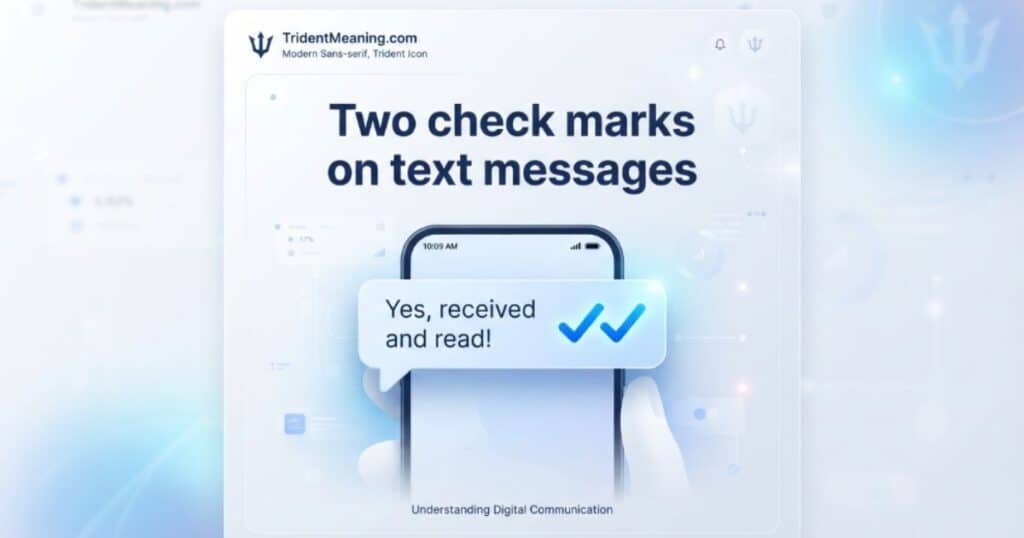
Two check marks on text messages usually mean your text message was successfully delivered to the recipient’s phone. However, they don’t always mean the person has read or opened it.
The exact meaning depends on the messaging system you’re using. In services that support delivery and read receipts, the indicators can distinguish between a message being sent, delivered, and read. For example, two gray check marks generally confirm delivery, while two blue check marks can indicate that the recipient has read the message when read receipts are enabled.
So, if you’re asking what does two check marks mean on a text message, the simplest answer is delivered. To know whether it was actually read, you need to look at the specific messaging app and its read receipt settings.
What Do Two Check Marks Mean on Android?
On Android, Two check marks on text messages generally indicate that a message has been delivered to the recipient’s device when you’re using a messaging service that supports these delivery indicators.
The result can differ depending on whether you’re using RCS messaging, standard SMS, or MMS. Google Messages can use RCS, which supports features such as delivery status, read receipts, and typing indicators.
If you see two check marks on an Android text, don’t automatically assume the recipient has read it. Delivery only confirms that the message reached the recipient’s phone. A read confirmation requires supported read receipts and compatible settings.
This is why what does two check marks mean on a text message on Android can have a slightly different answer depending on the messaging protocol and app.
What Do Two Check Marks Mean in Google Messages?
In Google Messages, Two check marks on text messages are generally associated with message delivery when the conversation uses RCS chat features. One check mark indicates that the message was sent, while two check marks indicate that it was delivered to the recipient’s device.
If read receipts are supported and enabled, the indicator can change to show that the recipient has read the message. Both users may need compatible settings for read confirmations to work.
Google Messages also provides other chat features through RCS, including typing indicators. Because of this, the two checkmarks on Google Messages can provide more information than traditional SMS messaging.
If you’re wondering what do the check marks mean in Google Messages, remember the basic distinction: sent means the message left your phone, delivered means it reached the recipient’s device, and a read indicator can confirm that it was opened when supported.
What Do Two Check Marks Mean on Samsung Phones?
On Samsung phones, the meaning of two check marks depends on the messaging app and the type of conversation. When supported chat or RCS features are active, two check marks can indicate that your message was delivered to the recipient’s phone.
They don’t necessarily prove that the person has opened or read the message. Read receipts must be supported and enabled for a read status to appear.
If you’re trying to understand what does two check marks mean on a text message Samsung, first check whether the conversation uses RCS or standard SMS/MMS. The messaging protocol can determine which status indicators are available.
Your phone’s messaging settings, the recipient’s device, network connection, and compatible messaging features can also affect whether delivery or read indicators appear.
What Do Two Check Marks Mean on Google Pixel?
On a Google Pixel, two check marks can indicate that your message was delivered when the conversation uses supported RCS chat features. The exact display can depend on your messaging app and settings.
If you use Google Messages with RCS enabled, delivery indicators can help you distinguish between a message being sent and one that has reached the recipient’s device. Two check marks generally indicate delivery, while a read indicator requires compatible read receipt settings.
So, if you’re asking what does two check marks mean on a text message on Google Pixel, think of the two checks primarily as a delivery confirmation rather than automatic proof that the recipient read your message.
What Do Two Blue Check Marks Mean on Text Messages?
Two blue check marks generally indicate that the recipient has read your message when the messaging service supports read receipts and those receipts are enabled.
This is different from two gray check marks, which generally confirm that the message was delivered but don’t necessarily confirm that it was opened. Read receipts depend on the messaging app, messaging protocol, and settings used by both people.
If you see two blue check marks, they can provide a read confirmation. However, you shouldn’t assume every Android messaging app uses the same colors or symbols. The meaning can vary between RCS messaging, SMS, MMS, and other messaging platforms.
What Do Two Check Marks and a Lock Mean on Android?
Two check marks alongside a lock symbol can indicate that your conversation has additional security features, such as encryption, when supported by the messaging service.
The check marks and lock serve different purposes. The check marks relate to the message’s delivery or read status, while the lock relates to the security of the conversation.
In Google Messages, RCS chats can support enhanced messaging features, including encryption in eligible conversations. Because icons can vary by device, app version, and settings, check the messaging app’s current status indicators if you’re unsure what a particular symbol means.
What Do Two Check Marks Mean When Texting From Android to iPhone?
When you send a message from Android to an iPhone, the meaning of two check marks depends on the messaging protocol used by the conversation. Android-to-iPhone messaging doesn’t always use the same features as an Android-to-Android RCS chat.
RCS can provide delivery and read-status features when the conversation and devices support them. Standard SMS or MMS has more limited status functionality.
So, if you’re searching for an Android to iPhone read receipt, don’t assume that two check marks automatically mean the iPhone user has read your message. The available indicators depend on the compatible messaging system, settings, and network connection.
What Do Two Check Marks Mean on WhatsApp?
On WhatsApp, two check marks have a specific meaning. Two gray check marks generally mean your message was delivered to the recipient’s device. Two blue check marks generally mean the recipient has read the message when read receipts are available.
This makes WhatsApp different from standard SMS because the app has its own delivery indicators and read receipt system.
If the checks remain gray, the message may have reached the recipient’s phone without confirming that they opened it. Read receipt privacy settings can also affect whether the indicators change to blue.
What Do Two Check Marks Mean on WhatsApp for iPhone?
On WhatsApp for iPhone, two gray check marks generally mean the message was delivered, while two blue check marks generally indicate that it was read.
The same basic indicator system applies when you use WhatsApp across supported devices. However, read receipts can be affected by privacy settings and other conversation conditions.
If you’re messaging someone who uses an iPhone, remember that WhatsApp operates independently from Apple’s iMessage system. The check marks you see belong to WhatsApp’s messaging system, not the standard iPhone Messages app.
Two Check Marks vs. One Check Mark: What’s the Difference?
The main difference is the stage Two check marks on text messages has reached. In messaging systems that use these indicators, one check mark generally means the message was sent, while two check marks generally indicate that it was delivered to the recipient’s device.
A read status is separate from delivery. In systems that use colored indicators, a different color or filled check may confirm that the recipient has opened or read the message when read receipts are enabled.
| Indicator | Common meaning |
| One check mark | Message sent |
| Two check marks | Message delivered |
| Two blue check marks | Message read, when read receipts are supported and enabled |
Keep in mind that the exact symbols, colors, and behavior can vary by messaging app, device, software version, settings, and messaging protocol. Two check marks alone shouldn’t be treated as definite proof that someone has read your text.
Do Two Check Marks Mean the Message Was Read?
Not necessarily. In most messaging apps, Two check marks on text messages was delivered to the recipient’s device, not that they opened or read it.
The exact meaning depends on the app and messaging system. For example, Google Messages using RCS can show two check marks for delivery, while a different color or read indicator may confirm that the recipient viewed the message.
If read receipts are turned off, you may see a delivered status without knowing whether the person actually read the text. So, two check marks alone shouldn’t be treated as proof that your message was read.
Why Do Two Check Marks Sometimes Appear in Different Colors?
Different colors usually represent different message statuses. In apps that support read receipts, two gray check marks often indicate delivery, while two blue check marks can indicate that the recipient has read the message.
However, colors aren’t universal across every messaging platform. Google Messages, WhatsApp, Samsung messaging features, and other apps can use different icons, colors, or status indicators.
Your result can also depend on whether read receipts are enabled, which messaging protocol you’re using, and whether both devices support the same chat features. Always check the specific app’s messaging settings before assuming what a color means.
What If Two Check Marks Don’t Appear?
If you expected two check marks but only see one, the message may have been sent but not yet confirmed as delivered. This can happen because of a weak internet connection, unavailable RCS features, disabled chat features, or temporary service issues.
The messaging protocol also matters. SMS and MMS don’t provide the same delivery and read indicators as RCS-based messaging, so you may not see double check marks at all.
Try checking your internet connection, confirming that chat features are enabled, and making sure the messaging app is updated. If the problem continues, the recipient’s device, settings, or network may also affect the status.
How to Know if Your Text Was Delivered or Read
The easiest way is to look at the message status or check marks shown beside your text. Generally, one check mark means sent, two check marks mean delivered, and two colored check marks may indicate read status when the app supports read receipts.
Keep in mind that these indicators vary by platform. Google Messages with RCS, WhatsApp, SMS/MMS, and other messaging services don’t always use the same system.
If you need to know whether someone actually opened your message, look for a specific read receipt or read indicator rather than relying only on two check marks. Read receipts may also be disabled for privacy, so a missing read confirmation doesn’t necessarily mean the person hasn’t seen your message.
Here are the FAQs, conclusion, and SEO meta description based on your article topic and search intent.
FAQs
What do two check marks usually mean on a text message?
Two check marks on text messages were delivered to the recipient’s device, but they don’t always confirm it was read.
Do blue check marks mean someone read my message?
In supported messaging apps, two blue check marks can indicate the recipient read your message when read receipts are enabled.
Why are my two check marks gray instead of blue?
Gray check marks generally indicate delivery rather than reading, although the exact meaning depends on your messaging app and settings.
Can two check marks appear on Android phones?
Yes. Android Two check marks on text messages apps can show two check marks when supported chat features, such as RCS, confirm message delivery.
What do two checks mean when texting an iPhone?
The meaning depends on the messaging service and protocol being used. Android-to-iPhone messages may not use identical status indicators.
Why don’t I see two check marks after sending a message?
Your connection, messaging protocol, app settings, or unavailable chat features may prevent delivery indicators from appearing.
Can I know for sure if someone opened my text?
Only a supported read receipt can confirm that a message was opened. Two check marks on text messages delivery checks alone don’t guarantee the recipient read it.
Conclusion
Two check marks on text messages can help you understand whether a message reached the recipient, but they do not always prove it was read. In Google Messages, RCS chats may show delivery and read indicators, while SMS or MMS can work differently.
The color of the check marks also matters. Two gray checks commonly indicate delivery, while blue checks may show that the recipient read your message when read receipts are available. App settings, network connections, and messaging protocols can affect these indicators.
Knowing what the symbols mean helps you avoid guessing about a text’s status. Whether you use Android, Samsung, Google Pixel, WhatsApp, or message someone on an iPhone, always consider the app and settings involved. Understanding these differences makes message status easier to interpret correctly and helps you know when a text was sent, delivered, or read.